You can use your own custom CSS styles to change how items that are currently in the table appear in the field list.
By default, items that are currently in the table are shown in the field list in bold and italics. You can change this by adding your own CSS styles to one of the stylesheets:
-
Open the file <tomcat_home>\webapps\webapi\react-tree.css in a text editor.
-
Locate the following section:
/* * Schema Tree */ .treeNodeElementBody.inTable { } .treeNodeElementBody .inTable { font-weight: bold; font-style: italic; } -
Add your preferred styles as follows:
-
Use
.treeNodeElementBody.inTableto apply styling to the full width of the item (for example setting a background colour or border that extends across to the edge of the field list). -
Use
.treeNodeElementBody .inTableto apply styling just to the label itself.
-
-
Save your changes and refresh SuperWEB2 in your browser (this change should not require a restart of Tomcat or the SuperWEB2 service).
Example Styling Configuration
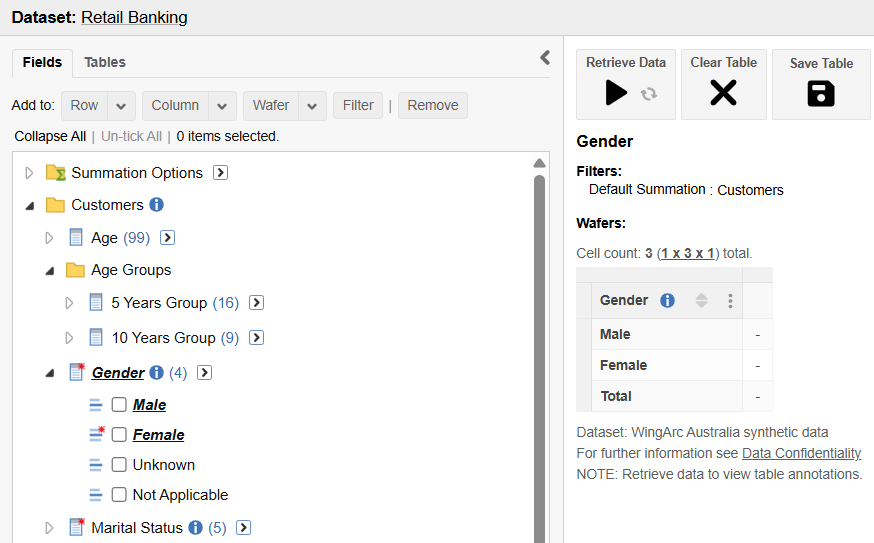
Underline Items in Table
.treeNodeElementBody.inTable {
}

.treeNodeElementBody .inTable {
    font-weight: bold;
    font-style: italic;
	text-decoration: underline;
}
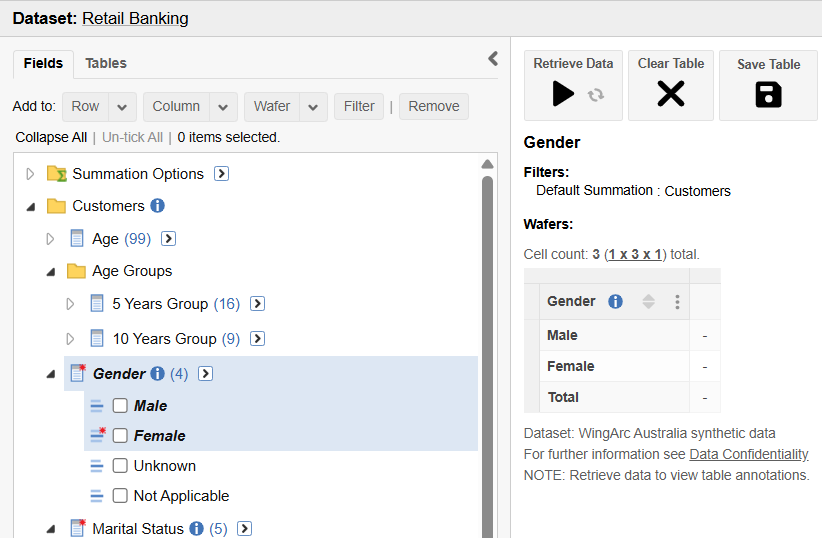
Add a Full Width Background
.treeNodeElementBody.inTable {
	background-color: #dde7f3;
}

.treeNodeElementBody .inTable {
    font-weight: bold;
    font-style: italic;
}