
To remove a service using SuperSERVICE Manager:
-
Start SuperSERVICE Manager (go to the Windows start menu and select All Programs > SuperSTAR > SuperSERVICE Manager > SuperSERVICE Manager).
-
Click Edit SuperSERVICE. The Edit SuperService window displays.
-
Select the service you want to edit from the drop-down list and click Edit.
This is the Service Name that you specified when you created the service in SuperSERVICE Manager.
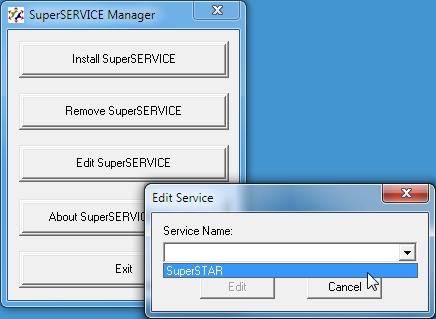
The Edit SuperSERVICE window displays. -
Make any changes you need to the service (see Create a Service for details of the available options).
-
When you have finished, click Update.
-
Go to the Windows Services console and restart the service to confirm your changes.