
A unique field is a measure that counts the number of distinct results for a field.
Saved tables containing a unique field cannot be read by SuperWEB2, or generated by the SuperSERVER Production System software.
To create a unique field:
-
Select Cross > Define Field. The Define Fields window displays.
-
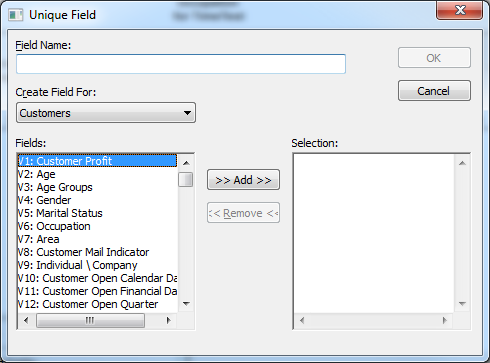
Click Unique. The Unique Field window displays.
-
Enter the following details:
Field
Description
Field Name
Enter a name for the field.
Create Field For
Select the database table to create the field for.
Fields
Select the field or fields you want to measure unique values for and click >> Add >> to add them to the Selection list.
-
If you add a single field then the new unique field will count the number of unique/distinct values for that field. For example, the number of distinct values for Age.
-
If you add multiple fields then the user defined field will return a count of the number of unique combinations of all the selected fields. For example, if you select Age and Marital Status, then a customer who is 27 years old and single will be counted separately to a customer who is 27 and divorced.
-
-
Click OK.