
To make your table more readable, you can add spacing by using blank rows and columns. The blank rows and columns can either be completely blank rows/columns, or they can have headings.
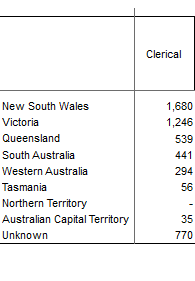
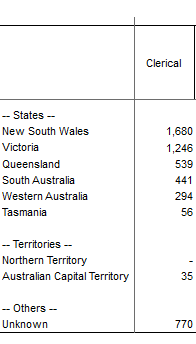
For example, you could use blank rows to group values in your table as follows.
|
Without blank rows: |
With blank rows: |
To add a blank field or axis item:
-
Right-click where you want to insert the blank item.
-
When adding a row, the blank row will be inserted below the one you clicked on.
-
When adding a column, the blank column will be inserted to the right of the column you clicked on.
-
-
Select Derivations > Add Blank Field Items or Derivations > Add Blank Axis Items (depending on whether you want to add the blank item to an individual field or to the axis).
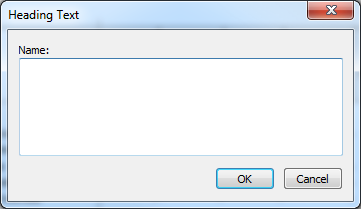
A dialog displays.
-
If you want your blank axis item to have a heading, enter the heading text. Alternatively, leave this blank to create a completely blank spacer row or column.
-
Click OK.